
I Built an Open-Source AI Agent Framework — Here's What I Learned
An open-source toolkit for building AI agents with persistent memory, tool execution, and multi-agent coordination — powered by Gemini on Google Cloud Run

Most agent frameworks are Python-first or streaming-only. I built one for TypeScript developers who need persistent memory and multi-agent coordination — and the process taught me a lot about what “production-ready” actually means for AI agents.
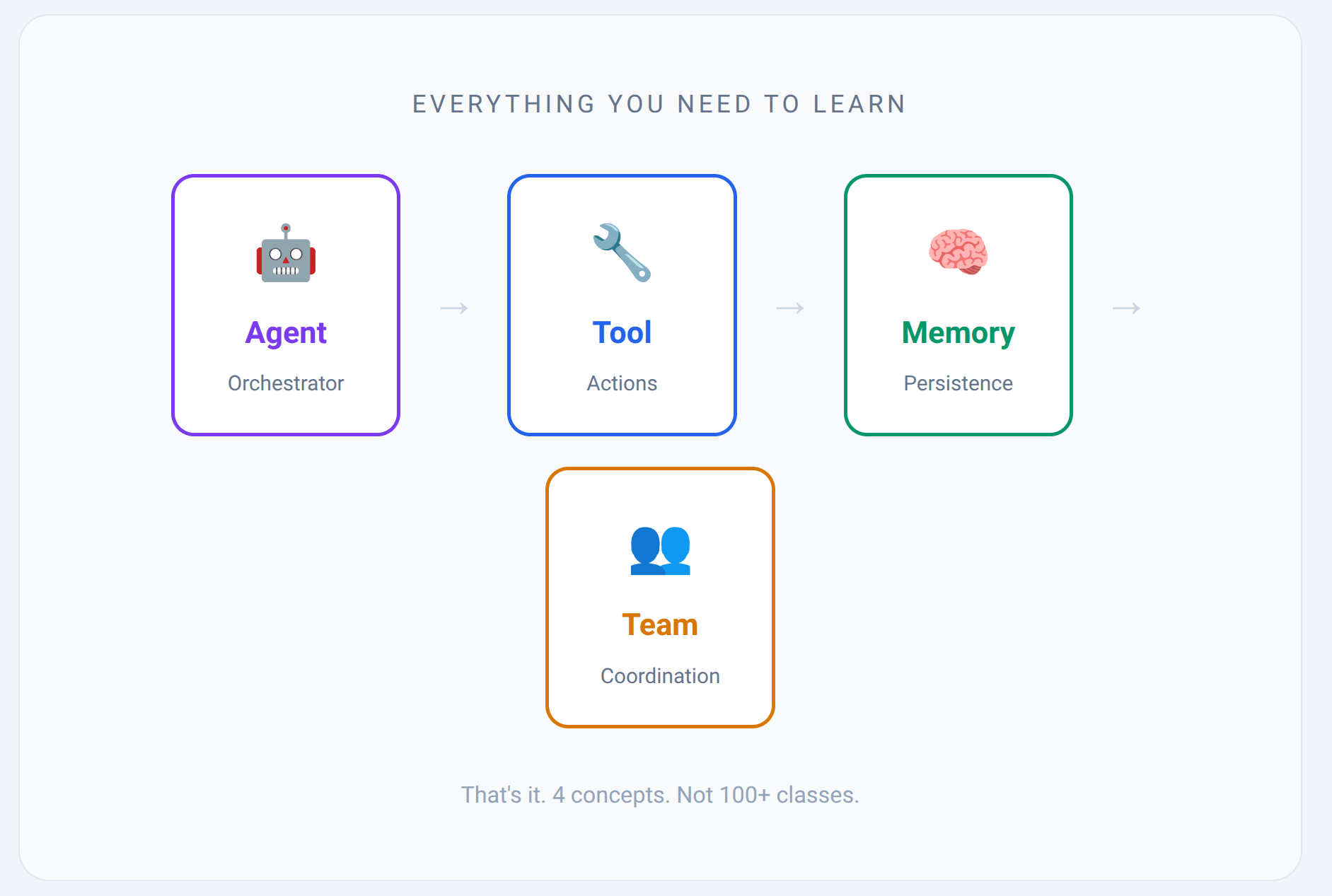
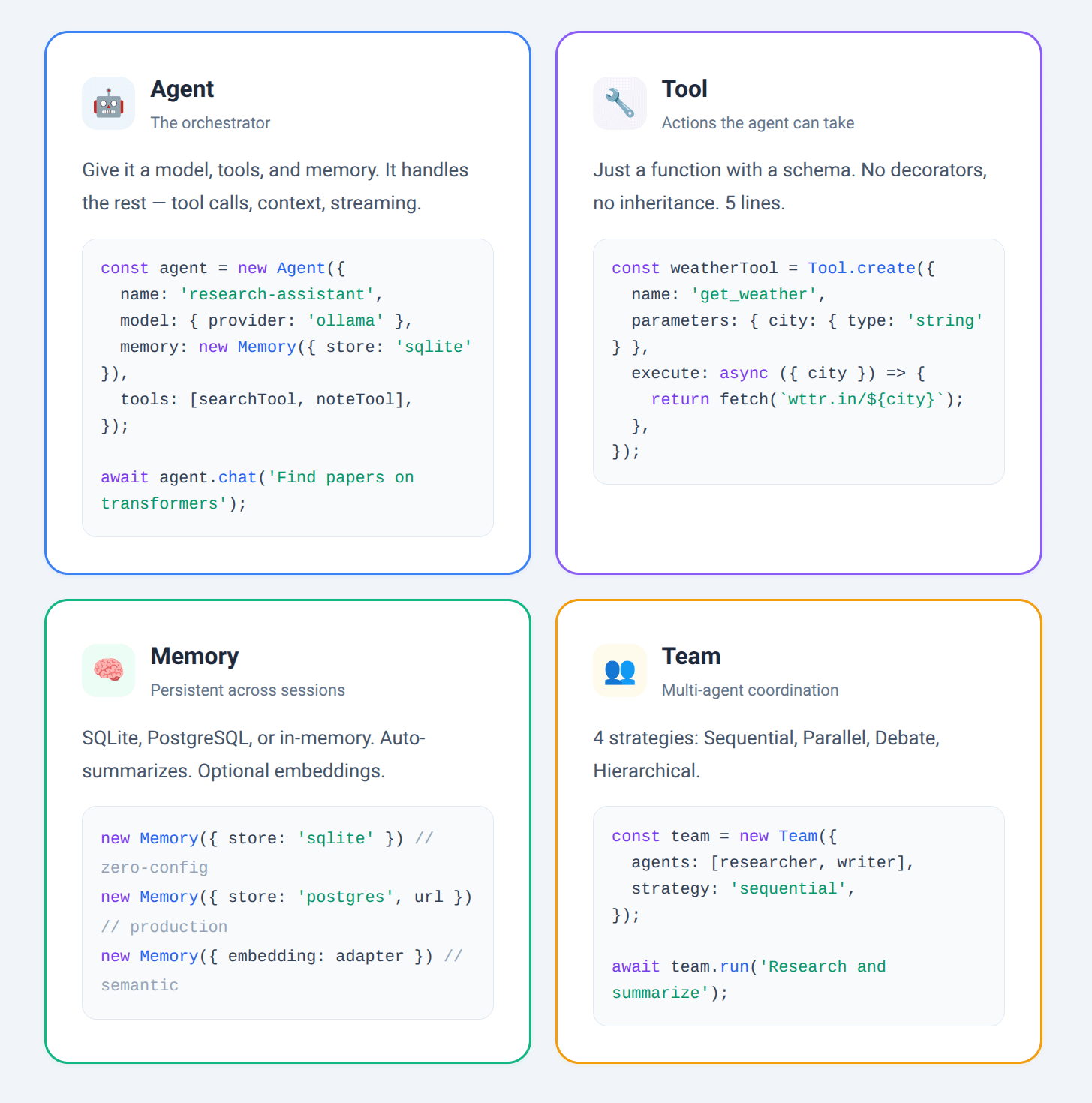
The result is @avee1234/agent-kit: a TypeScript-first library built around 4 core concepts, with 138 tests and full CI. Here’s what I built, why, and what I’d do differently.
The Problem With Existing Tools
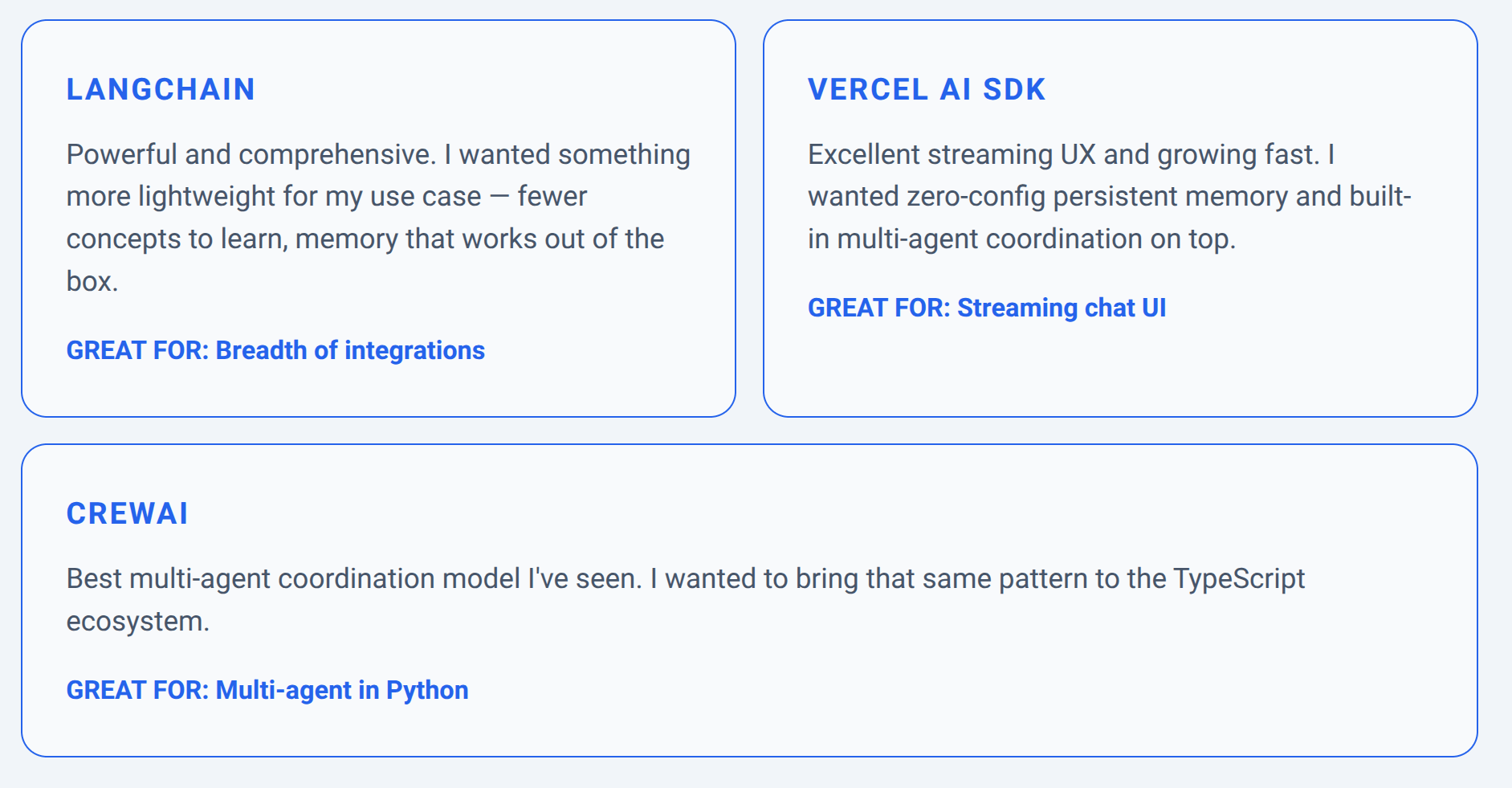
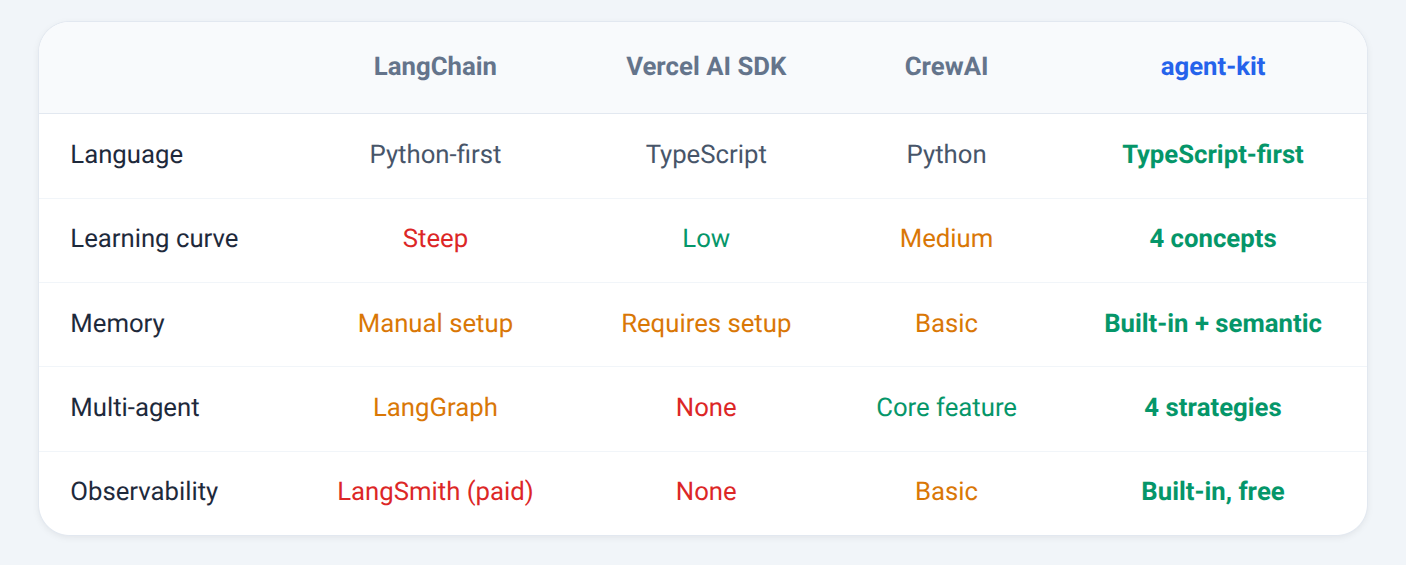
There are great tools out there — LangChain, Vercel AI SDK, CrewAI — and I’ve learned a lot from all of them. But I had a specific combination of needs that didn’t exist in one place:
The 4 Core Concepts
The “Wow Moment”: Memory That Survives Restarts
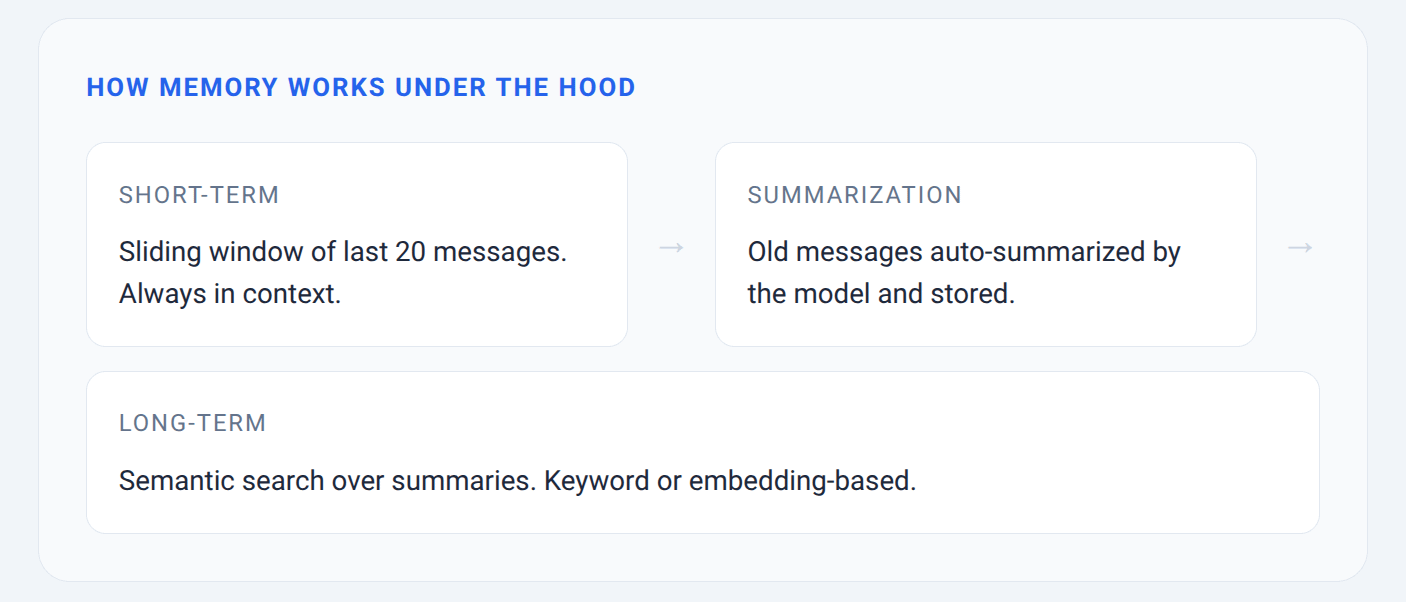
The thing that made this feel real was watching an agent remember context after a full process restart.
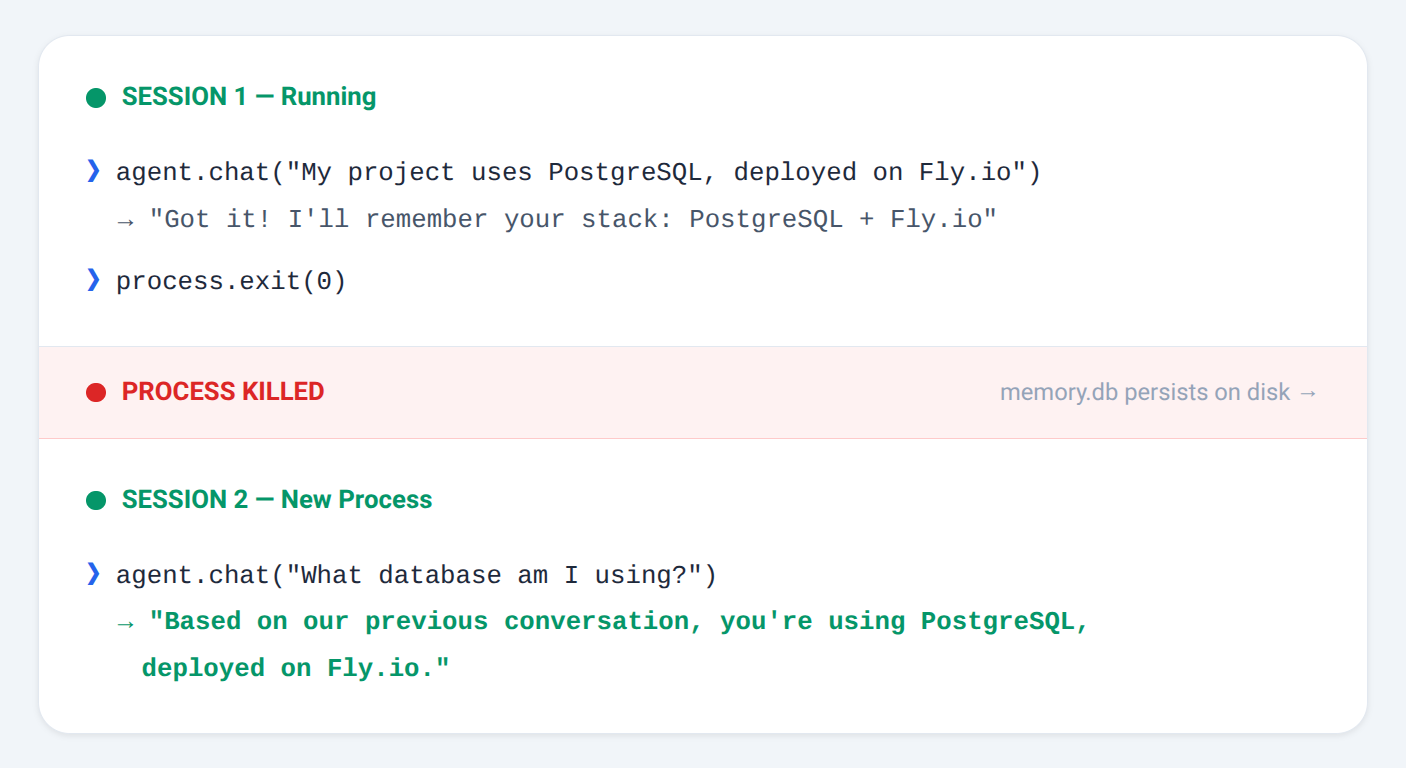
Kill the process, restart it, use the same SQLite file — the agent picks up where it left off. No manual serialization, no session IDs to manage. It just works because memory is a first-class concept, not an afterthought.
Multi-Agent Coordination: 4 Strategies
The Team class supports four coordination strategies. Each maps to a real pattern you’d use in production:
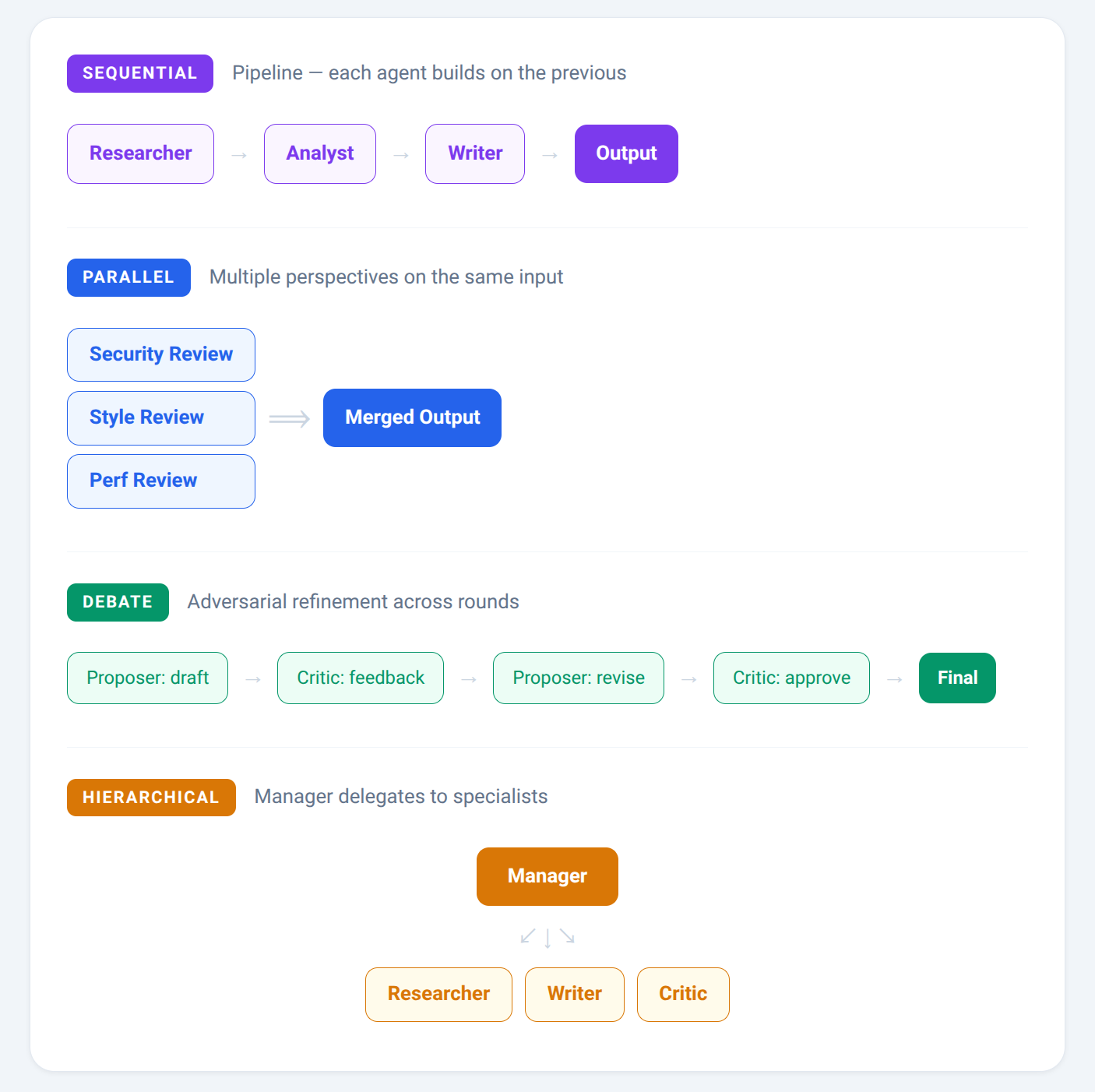
Each strategy is about 80–100 lines of TypeScript. They’re not magic — they’re just structured conversation patterns.
// Debate strategy: proposer drafts, critic refines
const team = new Team({
agents: [proposerAgent, criticAgent],
strategy: 'debate',
maxRounds: 3,
});
Built-In Observability
One thing I didn’t want to pay for: knowing what your agent is actually doing.
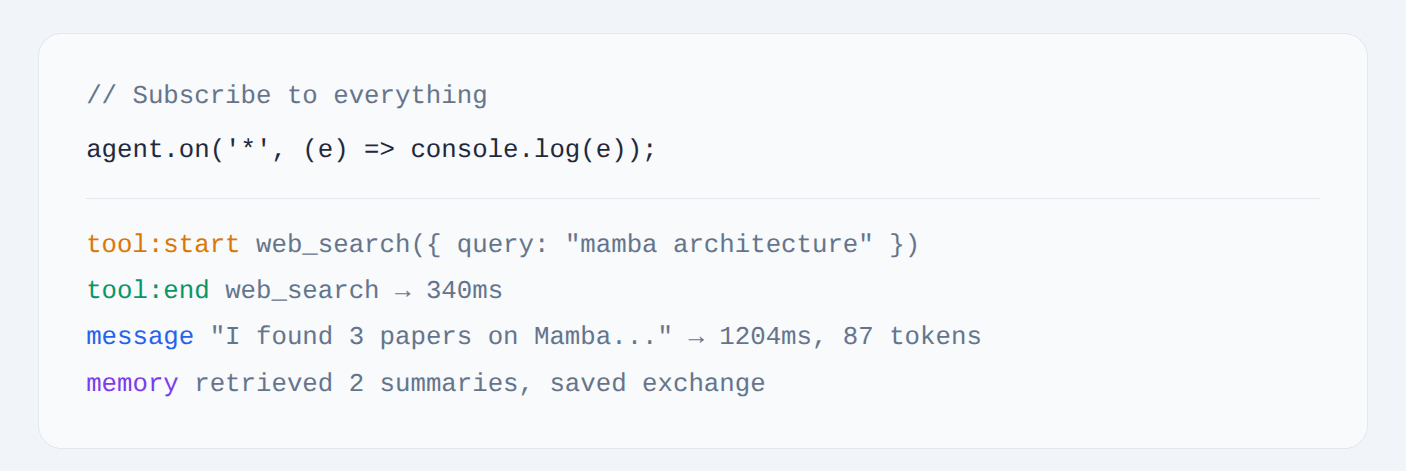
No LangSmith, no third-party tracing service, no credit card. It’s just EventEmitter under the hood — pipe it to whatever logging system you already use.
Where Each Tool Shines
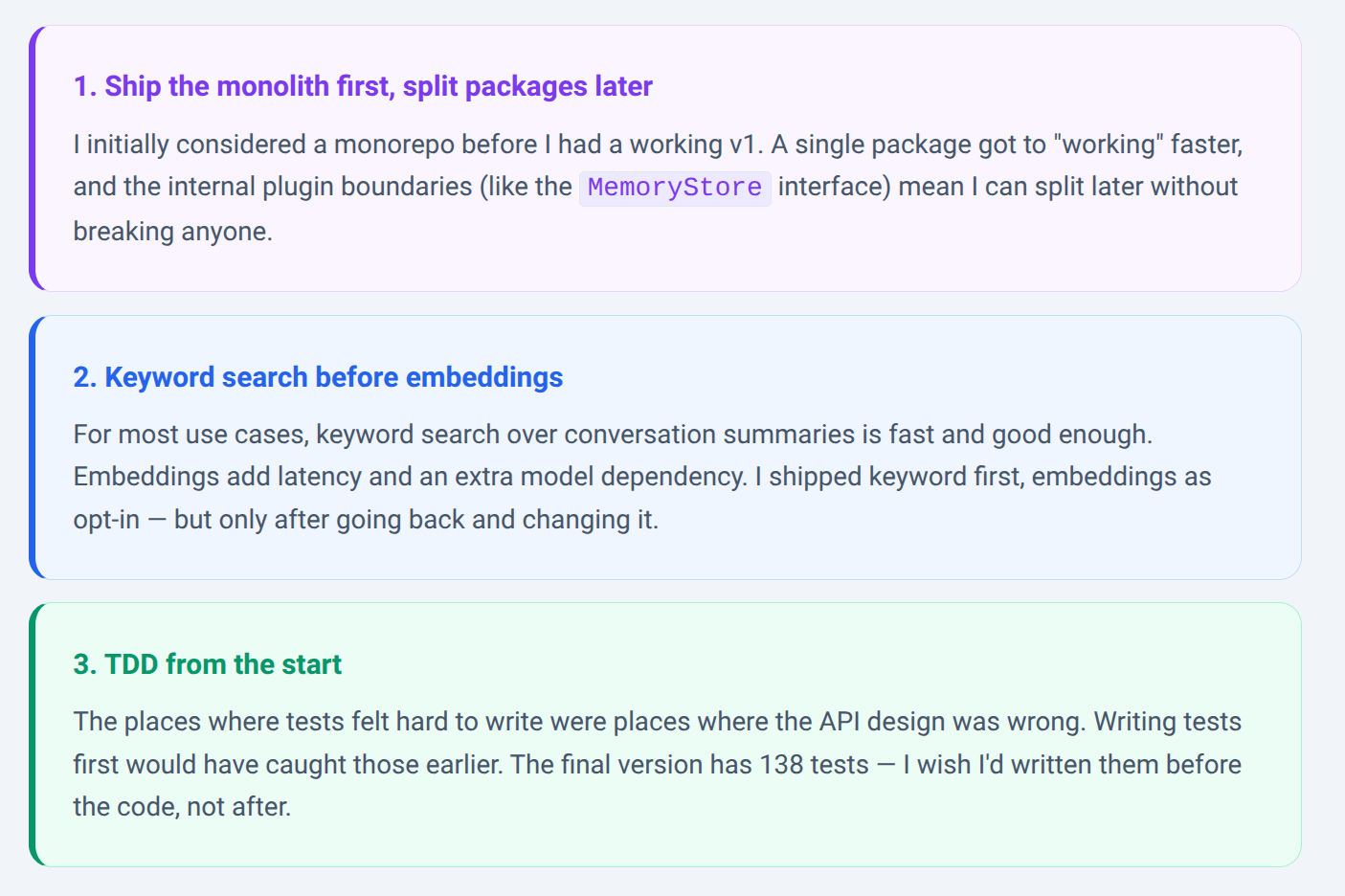
What I’d Do Differently
Live Playground
I deployed a live playground so you can try it without installing anything:
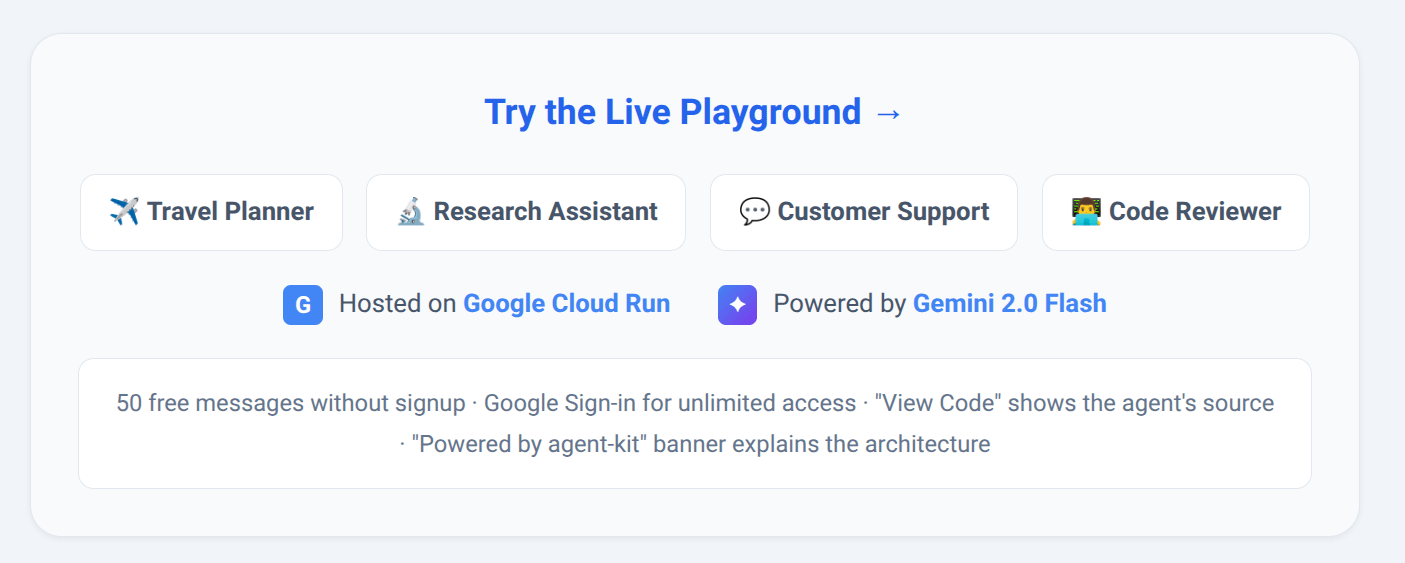
The playground has a light theme (white/gray), opens on the Travel Planner by default with a welcome screen showing clickable prompt suggestions, and lets you switch between 4 agents using tabs. Each agent has a “View Code” toggle that shows its actual source — you can see exactly how the tools are wired up.
The playground runs on Google Cloud Run (scales to zero, wakes up in seconds) with Gemini 2.0 Flash via Google AI Studio powering the AI responses.
Try This: Plan a Trip in 60 Seconds
The playground opens on the Travel Planner agent. Here’s what happens when you use it — the agent asks questions one at a time before calling tools:
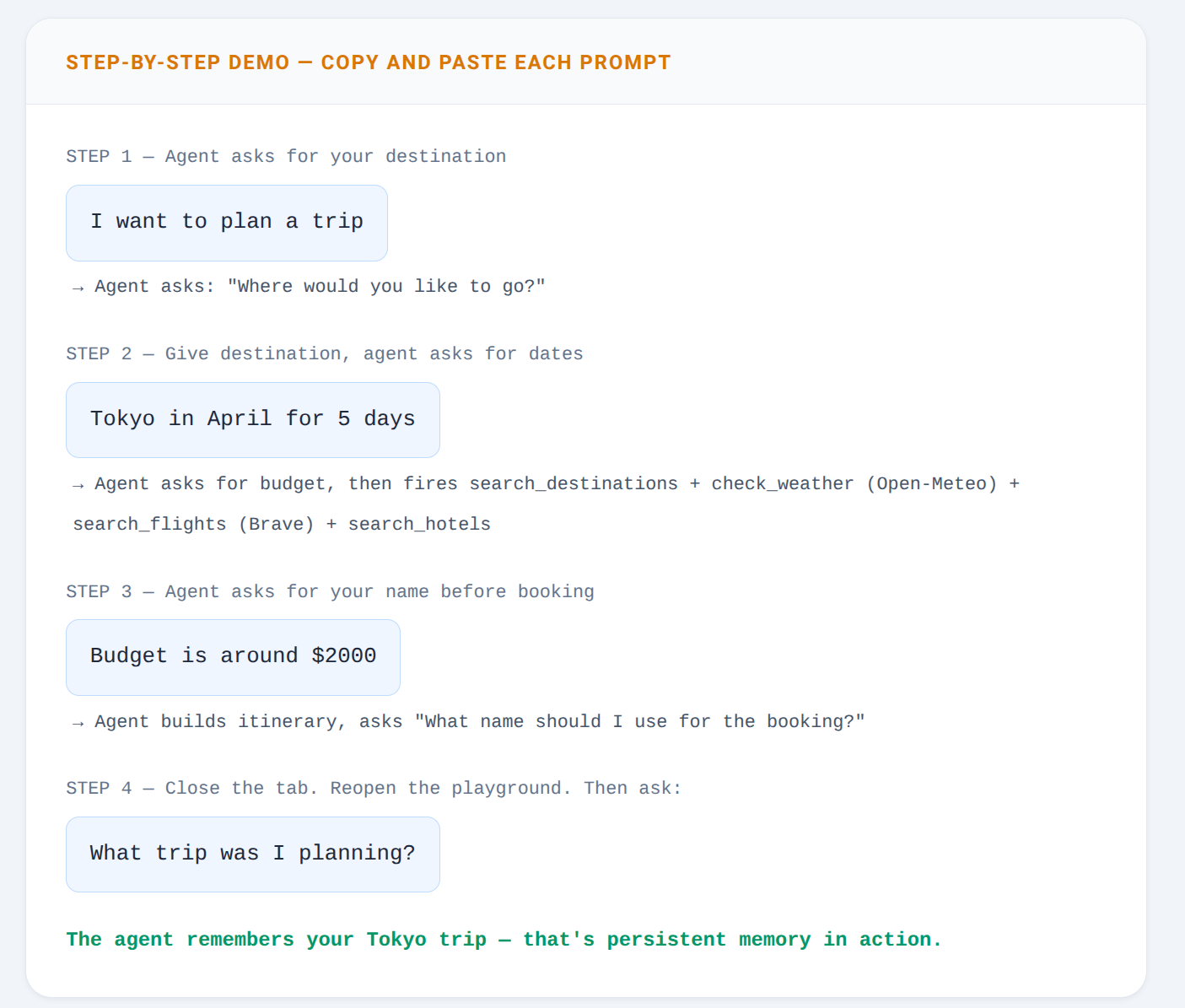
What to watch for while chatting:
Chat panel: Tool call indicators appear inline, showing which tool fired and how long it took
Events panel: Every framework event streams in real-time — tool:start, tool:end, memory:save
Memory panel: Message count and saved notes update after each exchange
Try It Locally
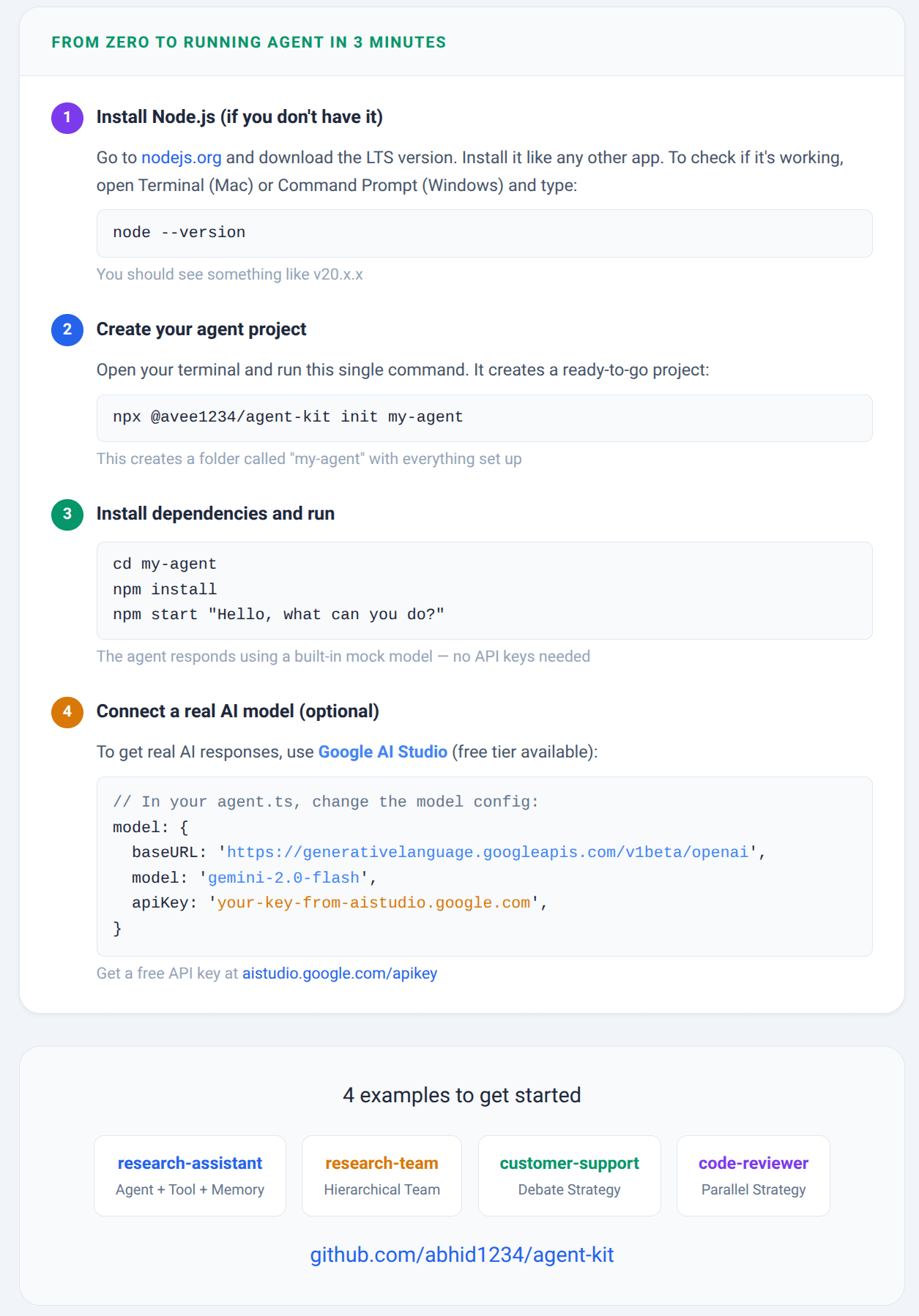
Want to build your own agent? Here’s a step-by-step guide — even if you’ve never used a terminal before. Or if you’d rather skip the setup, just use the live playground directly.
If you’ve been frustrated with LangChain’s complexity or Vercel AI SDK’s lack of memory, give it a shot and let me know what you think. Issues and PRs welcome.
https://github.com/abhid1234/agent-kit